Best 10MB Image Compressor
Our tool is the premier utility for users who need to strictly compress images to 10MB without compromising visual quality. It automatically calculates the best quality settings to meet your 10MB limit.
Optimize heavy images to 10MB. Save disk space while keeping high resolution details.
Drop files here or click upload
Optimization Mode: 10MBReduce image file size to exactly 10MB instantly. Just upload, we handle the complex calculation to hit your target size.
Upload your files using the 'Upload Files' button or drag and drop them into the box.

Automatically compress to 10MB or adjust quality settings manually.

Use the interactive slider to check the difference between original and compressed images.
Download your optimized files individually or all at once as a ZIP file.
Our tool is the premier utility for users who need to strictly compress images to 10MB without compromising visual quality. It automatically calculates the best quality settings to meet your 10MB limit.
Our tool isn't limited to just basic compression. You'll be able to convert your images to JPEG, PNG, and WEBP formats instantly! You won't have to worry about a downgrade in image clarity either, since our smart algorithm mitigates quality loss as much as possible.
Beyond simple compression, explore our full suite of design tools to bring your creative visions to life.
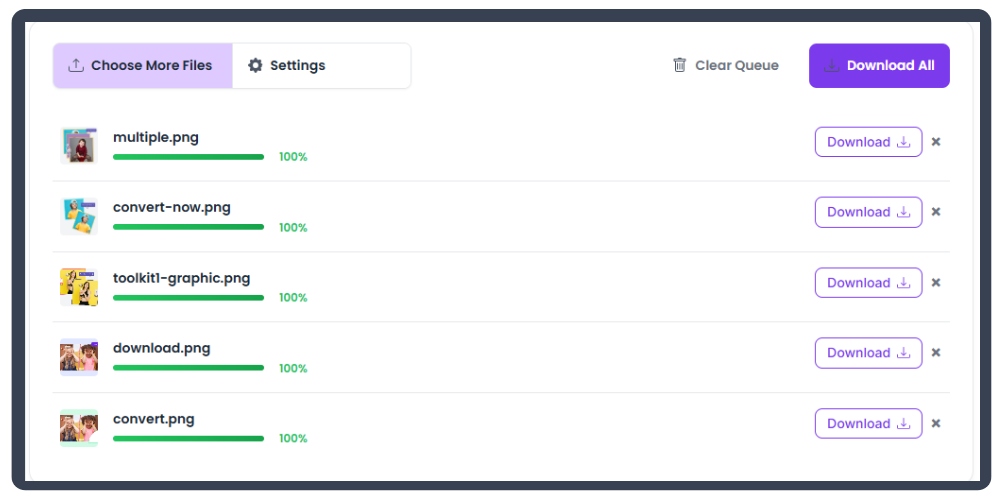
Simply drag and drop your image files into the uploader, or click the 'Upload Files' button. The compression will start automatically. Once finished, you can download your optimized files.
Our tool is optimized to minimize quality loss. It uses smart algorithms to remove unnecessary metadata and optimize pixel data. You can also manually adjust the quality slider to find the perfect balance.
Yes! Our tool supports batch processing. You can select multiple files, and they will all be compressed simultaneously. You can then download them individually or as a ZIP file.
Absolutely. All processing happens directly in your browser. Your files are never uploaded to our servers, ensuring your data remains private and secure.
Our smart algorithm iteratively adjusts quality settings to find the best possible image quality that fits strictly under 10MB.