PDF Zilla - PDF Compression Blogger Template
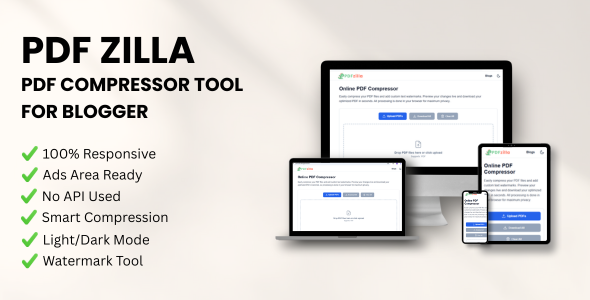
Description
PDF Zilla transforms your standard Blogger blog into a powerful, full-featured PDF utility web app. Designed for speed and privacy, this script runs 100% client-side—no expensive servers or backend coding required.

Top Features
1. Smart PDF Compression
Reduce file sizes efficiently without sacrificing clarity.
- Smart Compression: Automatically analyzes and shrinks files upon upload.
- Quality Presets: Quick-select options for Low (30%), Medium (60%), and High (90%).
- Precision Control: Granular slider to fine-tune compression from 10% to 100%.
- Live Metrics: Real-time display of original vs. processed file sizes.
- Image Optimization: Advanced logic to re-sample and optimize embedded images.
2. Advanced Watermarking Studio
Protect documents with a fully interactive, drag-and-drop designer.
- Interactive Designer: Live canvas preview updates instantly.
- Visual Controls: Full 360-degree rotation and drag-and-drop positioning.
- Quick Alignment: 9-point grid snapping (e.g., Top-Right, Center).
- Custom Styling: Support for Google Fonts, transparency, and hex codes.
- Auto-Scaling: Intelligently calculates the best font size.
3. Privacy First & File Management
Zero server costs. Maximum security.
- 100% Client-Side: Files are processed in the browser and never uploaded to a server.
- Bulk Processing: Upload and process multiple PDFs simultaneously.
- Session Persistence: Uses IndexedDB to save progress if the page refreshes.
- Batch Download: Generate a single ZIP archive of all processed files.
4. Modern UI/UX
- Drag-and-Drop: Modern upload zone for seamless file selection.
- Page Previews: Real-time thumbnails of PDF pages.
- Theme Support: Built-in Dark and Light mode toggles.
Why Choose PDF Zilla?
- No Hosting Costs: Runs entirely on Google’s free Blogger platform.
- Monetization Ready: easily integrated with AdSense or banner ads.
- Secure: GDPR compliant as no data leaves the user's browser.
Features
- Smart Compression: Automatically shrinks PDF file sizes upon upload.
- Quality Presets: Quick-select options for Low (30%), Medium (60%), and High (90%) quality.
- Precision Control: A granular slider allowing compression levels from 10% to 100%.
- Live Metrics: Shows a real-time comparison between original and processed file sizes.
- Image Optimization: Specific logic to re-sample and optimize images within PDFs.
- Interactive Designer: A live canvas preview for seeing watermark changes instantly.
- Visual Controls: Supports full 360-degree rotation and manual drag-and-drop positioning.
- Quick Alignment: A 9-point grid for snapping watermarks to specific areas.
- Custom Styling: Options for Google Fonts, transparency adjustments, and hex-code colors.
- Auto-Scaling: Automatically calculates the best font size based on the watermark's box size.
- 100% Client-Side: All processing happens in the browser; files are never sent to a server.
- Bulk Processing: Ability to upload and process multiple PDF files at the same time.
- Session Persistence: Uses IndexedDB to remember processed files on page refresh.
- Batch Download: Generates a single ZIP archive containing all processed PDFs.
- Drag-and-Drop: Modern upload zone for easy file selection.
- Page Previews: Renders real-time thumbnails of PDF pages.
- Accessibility: Includes keyboard shortcuts for precise watermark adjustments.
- Theme Support: Built-in Dark and Light mode toggles.
$70.00
$90.00
Version
1.0.1
License Type
General
Quality verified
Free future updates
6 months support included
Product Information
Tags
pdf compressor
pdf watermark
blogger theme
pdf editor
reduce pdf size
blogspot template
javascript pdf
client side
pdf converter
pdf optimization
web utility
document tools
pdf scripts
online pdf
pdf zilla
Product Type
HTML Template
Technologies
JavaScript
Release Date
Jan 27, 2026
Last Update
Jan 27, 2026